Apple has been warning about it since WWDC, and now it’s real: with iOS 27.3, Siri AI and other Apple Intelligence features that run on Apple’s servers get a daily usage limit. The second beta, released November 16, already enforces it, and Apple has explained how iCloud+ raises that cap. Here’s what changes, what each plan gets you, and what’s still unclear.
What changes in iOS 27.3
- Limits are per device, not per account. Every iPhone, iPad, or Mac on 27.3 gets its own daily allowance.
- What counts: complex, multi-step Siri AI requests, Image Playground, Photos tools like Clean Up and Extend, building shortcuts by describing them in plain language, and third-party apps that use Apple’s cloud models.
- What doesn’t: simple, single-step Siri requests stay unlimited.
- When you hit the cap, you get a notification, and that feature stays unavailable on that device until the counter resets, around midnight. Unused allowance doesn’t carry over.
- No numbers from Apple: it doesn’t say how many requests the standard limit includes, and notes it can vary by feature, request complexity, and server demand.
How much more each iCloud+ plan gives you
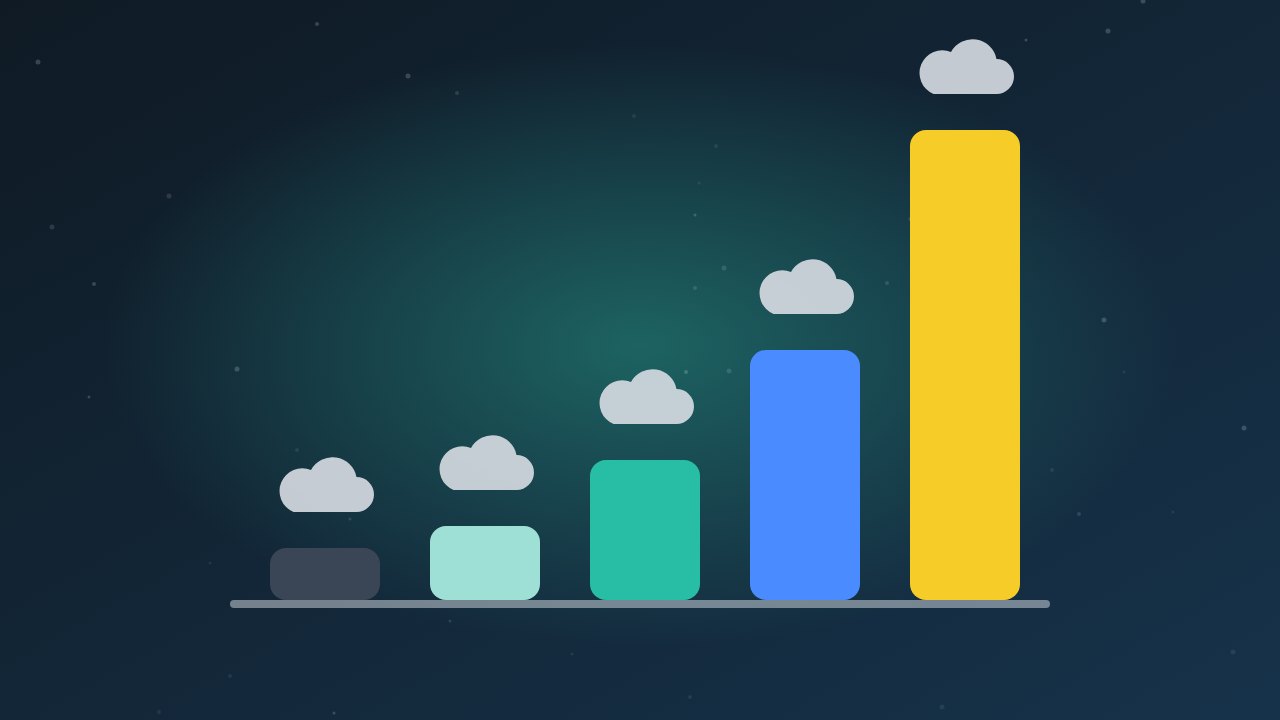
The standard limit is multiplied based on your storage plan, at no extra cost and with no price changes:
- Free 5GB and 50GB ($0.99/month): standard limit.
- 200GB ($2.99): up to 2x.
- 2TB ($9.99): up to 5x.
- 6TB ($29.99): up to 10x.
- 12TB ($59.99): up to 20x.
If you’re on Apple One, the iCloud+ storage in your bundle is what counts. There are exceptions, though: according to Apple’s support document, the extra usage won’t be available in the UK, the European Union, Brazil, or South Korea, and in China it won’t apply to Apple Intelligence features. Apple hasn’t said why.
The second perk: the Cloud Pro model in Shortcuts
The Use Model action in Shortcuts lets you pick the on-device model, Cloud, Cloud Pro, or ChatGPT. Cloud Pro, the most capable option, is limited to iCloud+ plans of 200GB or more; without iCloud+, it doesn’t show up. It also has a daily limit, with the same multipliers from the 2TB plan up.
Which plan makes sense
If you lean on Siri AI every day, 200GB for $2.99 a month is the cheapest way to double your allowance and get Cloud Pro in Shortcuts. The bigger jumps only make sense if you already need the storage: nobody should buy 12TB just for more Siri. And since limits are per device, someone with an iPhone, an iPad, and a Mac effectively gets three separate allowances.
When it arrives
All of this is in the second beta of iOS 27.3, iPadOS 27.3, and macOS 27.3. Apple says the final release is coming in December, with no exact date, and since it’s a beta, the details could still change. For the rest of what’s new, see our iOS 27.3 beta roundup.
My take
Limits aren’t a surprise: Apple announced them in June, and every complex request costs server time. Tying them to iCloud+ is smart, because plenty of people already pay for 200GB for backups and won’t notice a thing. What I don’t like is the lack of transparency: “up to 20x” doesn’t mean much when you don’t know what 1x is. Until Apple shares numbers or the final release reaches everyone, we won’t know whether the free limit is generous or tight in daily use. For what it’s worth, I pay for iCloud+ and haven’t hit any limit so far, though I haven’t pushed it much either: a few questions and building a presentation in Keynote. Then again, the limits only kick in with iOS 27.3, so we’ll see how it holds up once the final version is out.
Do you pay for iCloud+? Think the free limit will be enough for you? Let me know in the comments or on social media.
Sources: 9to5Mac, MacRumors, ComputerBase, Netz-Trends, Android Headlines. Data and prices as of November 17, 2026.