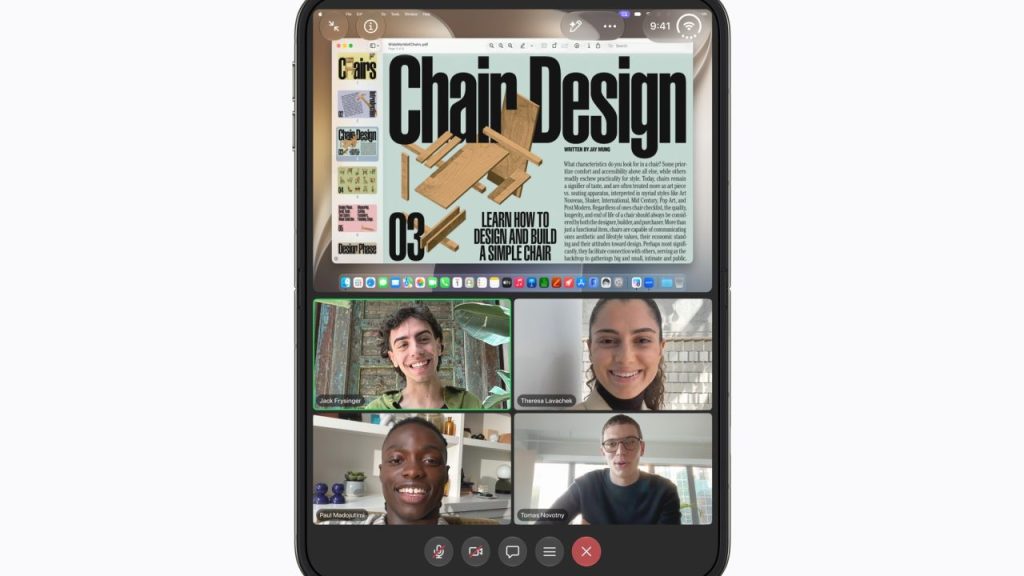
If you’re on a video call with your iPhone Duo and someone next to you wants to say hi, you don’t have to squeeze into the same frame or keep passing the phone back and forth. Apple’s Duo FaceTime feature lets the other person use the outer display while you stay on the inner one, each with their own view.
How it works
Duo FaceTime uses the Center Stage front camera and the under-display FaceTime camera together, giving each side of the phone its own view. It works in Group FaceTime video calls.
Step by step
- With your iPhone Duo unfolded, start or join a Group FaceTime video call in the FaceTime app.
- During the call, tap the screen to show the controls, then tap More (the three dots).
- Tap Duo FaceTime.
The call now appears on both displays, so the person on the outer display can see and take part without crowding into your view. If you’re already using Dual Capture, the Outer Display Options button should already be visible in the call controls, and you can tap it instead of going through More.

My take
This is one of those features that justifies having two screens: on a family call, the grandparents can see two people at once, each properly framed. The downside is that it’s tucked away in the More menu and only works in group calls. At $1,999, it’s worth knowing these details. If you’re thinking about buying one, also check which apps are already optimized for the Duo.
Have you tried Duo FaceTime yet? Let me know in the comments or on social media.
Sources: MacRumors (Duo FaceTime step by step). As of November 8, 2026.