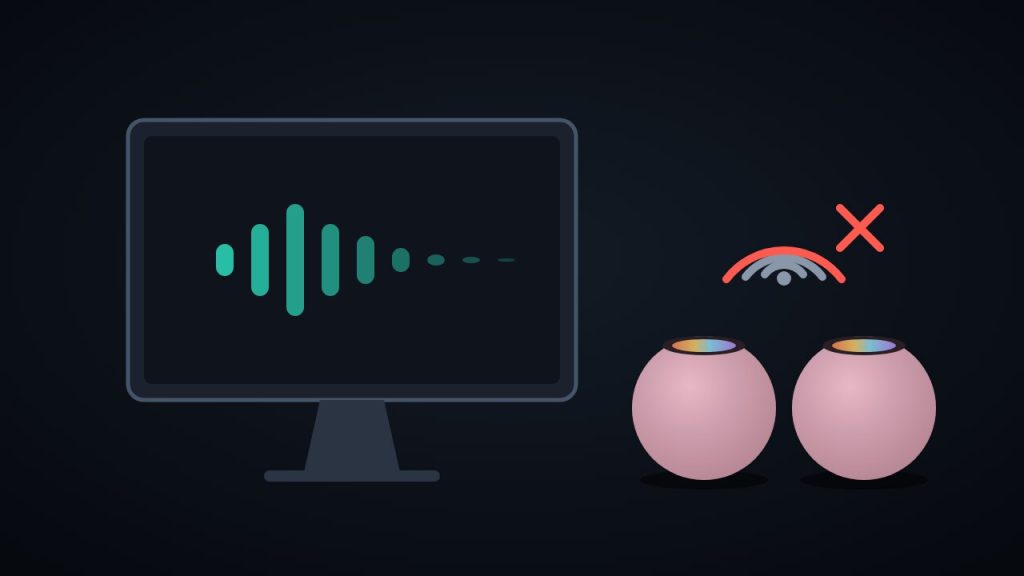
One of the most interesting new features of the HomePod mini 2 was being able to use it, alone or as a pair, as your Mac’s default speaker. That never worked well with the original HomePod mini. But according to the MacRumors forums, the feature is failing for several owners, and some have already returned their speakers.
What Apple promises
- Requirements: any Mac with Wi‑Fi 6E or later and macOS 27.2. It works with a single HomePod mini 2 or two as a stereo pair, and also with the second-generation HomePod.
- How it works: instead of regular AirPlay, the Mac uses a direct, persistent AirPlay link to the speaker, designed to survive restarts and sleep with lower latency.
- Price: the HomePod mini 2 has been on sale since October 30 for $149. For stereo on your desk, you need two.

The problems being reported
- The option never shows up: for some, the persistent connection doesn’t appear even though their Mac meets the requirements, and the speakers act like regular AirPlay, with dropouts and lag. That happened to The Verge in its review on an M4 Mac mini.
- It disconnects: the most common problem. It works at first, but after sleep, a restart or even a single notification sound, the Mac falls back to its own speakers or the monitor’s.
- Returns: on the forums, at least five owners describe similar failures and at least two say they’re returning their speakers. One was told at an Apple Store that they weren’t the first.
Is there a fix?
Apple hasn’t commented, and the cause is still unclear. The most specific clue comes from a Reddit user: their Mac’s logs showed the direct connection failing while the HomePods were on a 6 GHz network, and moving them to a 5 GHz-only network brought back the low-latency mode. That’s one case, not an official fix, but if your router allows it, it’s the first thing I’d try. If you bought them for this and it’s not working, Apple’s standard return window is 14 days, and purchases made from November 6 fall under the extended holiday return policy.
My take
It’s a shame, because this was the HomePod mini 2’s strongest pitch for anyone who works on a Mac (everything else that’s new is in my HomePod mini 2 rundown). It smells like a software bug Apple can fix with an update, but until it does, I wouldn’t buy two just for my desk. If you already have them, try the 5 GHz network and don’t let the return window run out.
Are you using a HomePod mini 2 with your Mac? Is it working for you? Let me know in the comments or on social media.
Sources: MacRumors (failures and returns), MacRumors (requirements according to Apple), MacRumors forums (owner reports). As of November 9, 2026.