Apple has sent out its dreaded threat alerts again. Since October 29, iPhone users in 99 countries have received a notification telling them, bluntly, that they may have been targeted by a mercenary spyware attack. And this time the news came with a high-profile institutional angle: in Germany, the recipients include members of the Bundestag and other public figures.
Since I live in Germany, I’ve been following this story closely. Here’s what happened, what it really means to get one of these alerts, how to tell a real one from a scam, and what you should do if you ever get one.
What happened
Apple has sent a new batch of Apple Threat Notifications to people who, according to its own systems, have been individually targeted with mercenary spyware. That means spy software developed by private companies and sold to third parties, usually governments. The best-known example is Pegasus, from Israel’s NSO Group.
Some figures for context:
- This wave reached users in 99 countries.
- Since it started sending these alerts in 2021, Apple has notified users in more than 150 countries in total.
- It’s the second wave in less than three months: in August, Apple had already notified users in 110 countries.
- Among the known targets outside Germany is Lebanese filmmaker Radwan Mortada, who has said publicly that Apple warned him of “another attack” against his device, after an earlier one in 2021.
One thing to keep in mind: 99 countries doesn’t mean 99 victims or 99 governments behind it. It’s a measure of how widespread the campaign is, not a count of hacked phones. Apple doesn’t say how many people received the alert or in which countries they are.
Germany: Bundestag members among those notified
What pushed this wave into the headlines was Germany. The Federal Office for Information Security, the BSI, reported over the weekend that members of the Bundestag (the German parliament) and other unnamed public figures had received Apple’s alert.
Digital Minister Karsten Wildberger confirmed on German public television that the BSI contacted those affected in writing with instructions on how to protect their devices, and boasted that the government had reacted “super fast.” Government spokesperson Stefan Kornelius said Berlin is taking the incident “very seriously,” but didn’t say who in the government was targeted or whether Chancellor Friedrich Merz is among them.
There’s an awkward detail the German press has brought up these days: Germany’s own Federal Criminal Police Office, the BKA, bought access to Pegasus in 2019. In other words, the same governments that complain about these tools today are sometimes their customers.
What getting one of these alerts means (and doesn’t)
It’s worth being precise here, because it’s easy to panic too much or, the other way around, to brush it off:
- It means Apple has detected activity consistent with an attack aimed specifically at you, probably because of who you are or what you do (journalists, activists, politicians, diplomats…).
- It doesn’t confirm that your iPhone is infected. Apple doesn’t say whether the attack succeeded. That’s why the BSI has asked those affected to assume their device may be compromised.
- It doesn’t say who’s behind it. Apple doesn’t attribute the attacks to any government or region, and it doesn’t explain what leads it to send the alert, so as not to tip off the attackers.
What makes this kind of spyware so dangerous is that it often uses zero-click attacks: you don’t have to tap a link or open a file. Something just has to reach your phone. Once inside, it can read your messages, track your location, and access practically everything you keep on the phone.
How to tell if the alert is real
An alert like this is the perfect bait for a scam, so the first thing to do is check that it really comes from Apple. According to the company’s official documentation:
- The alert appears on the iPhone itself, on the Lock Screen and in Settings.
- You’ll also see the notification when you sign in to your account at account.apple.com.
- If it arrives by email, the sender is threat-notifications@email.apple.com. Even so, the email alone isn’t enough: always verify it in your Apple Account.
- Apple will never ask you to tap a link, open a file, install an app or profile, or give it your password or a verification code by email or over the phone.
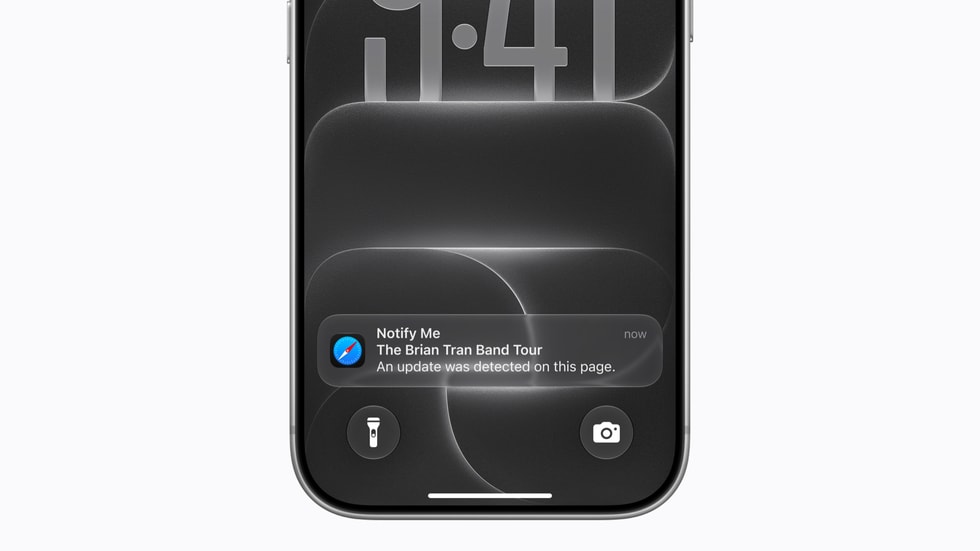
If you get a text, a WhatsApp message, or an email “from Apple” with a link to “protect your account,” be suspicious. That isn’t a threat alert: it’s probably the threat.
What to do if you get one
These are Apple’s recommendations for anyone who receives a real alert:
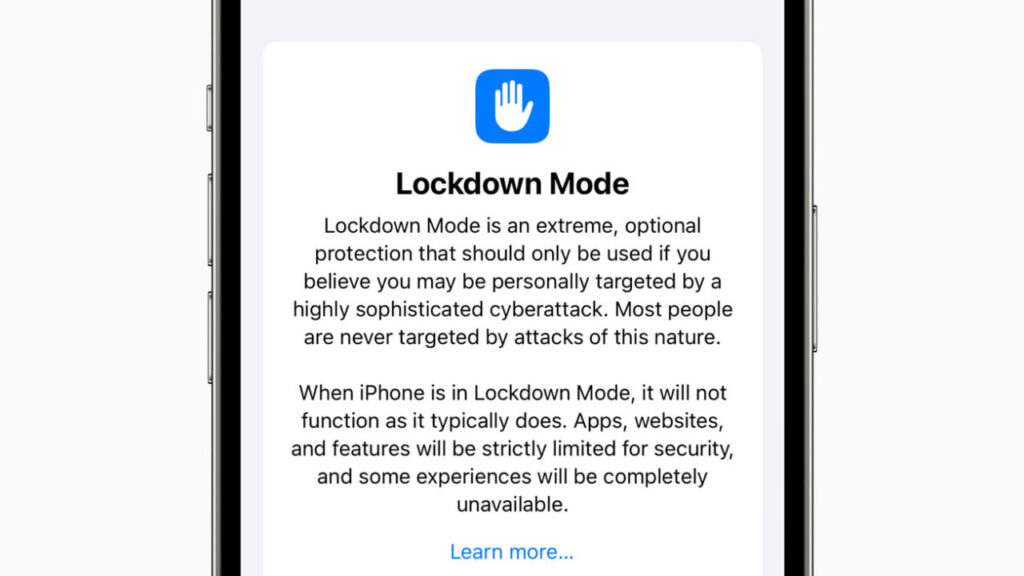
- Turn on Lockdown Mode on all your Apple devices (I explain what it is right below).
- Get expert help. Apple points to the Digital Security Helpline from the nonprofit Access Now, which is available 24/7. If you work for a company or an institution, also alert its security team.
- Keep everything updated to the latest version of iOS, iPadOS, and macOS.
- Protect your Apple Account with a strong password and two-factor authentication.
And if you haven’t received an alert but have real reasons to think you could be a target because of your work, Apple also recommends turning on Lockdown Mode as a precaution. For everyone else, the basics still apply: always update.
What Lockdown Mode is and what it blocks
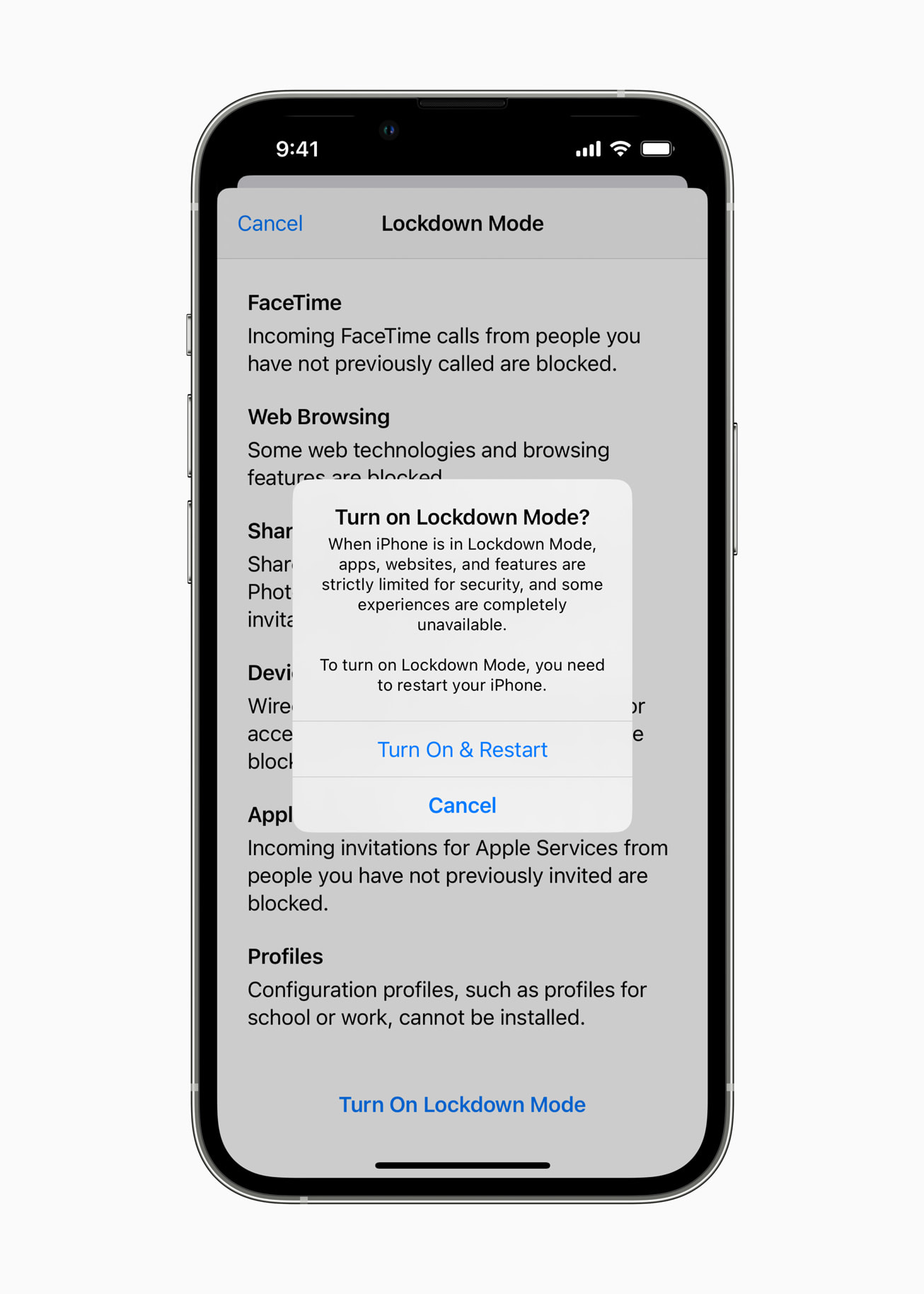
Lockdown Mode arrived with iOS 16 in 2022 and is an extreme, optional protection. You turn it on in Settings > Privacy & Security > Lockdown Mode, and the iPhone restarts to apply it. In exchange for shrinking the attack surface as much as possible, the phone stops working the way it usually does:
- In Messages, most attachment types other than images are blocked, and some features, like link previews, are turned off.
- Some complex web technologies are disabled in Safari, except on websites you mark as trusted.
- FaceTime calls from people you haven’t called before are blocked.
- When the iPhone is locked, it doesn’t accept wired connections with computers or accessories.
- Configuration profiles can’t be installed, and the device can’t be enrolled in mobile device management (MDM).
Does it work? In March of this year, Apple told TechCrunch it wasn’t aware of any successful mercenary spyware attack against a device with Lockdown Mode turned on. That said, it isn’t invulnerable: just this Tuesday, the hacker team Calif showed a jailbroken iPhone 18 Pro with Lockdown Mode on, and the jailbreak was still there after updating to iOS 27.2. It’s a researcher demo, not a known real-world attack, but it’s a reminder that no protection is absolute.
What about the US?
Apple doesn’t publish the list of affected countries, so it’s unknown whether this wave includes recipients in the US. Unlike Germany, no US government agency has confirmed anything so far.
What is certain is that every time a story like this goes viral, scams that imitate it show up. If you’re a regular user, the chances of being targeted with mercenary spyware are very low (Apple stresses that the vast majority of people will never experience it). The chances of getting a fake “Apple security alert” designed to steal your account are quite a bit higher.
My take
I think this is one of the best things Apple does on security, and I’m not saying that to be nice. Warning the victim directly, on their Lock Screen, that someone with a lot of resources is after them is something few companies do, and the fact that the BSI acted in less than 24 hours shows the system works when institutions take it seriously.
But Apple can’t fix the underlying problem. Two waves in less than three months, more than a hundred countries each time, and members of one of Europe’s most important parliaments among the targets. This is no longer about isolated cases of journalists or activists: it’s an industry. And as long as there are governments (including Germany’s, as the BKA case shows) willing to buy these tools, there will be companies willing to sell them.
My practical advice: if you’re not a high-risk person, you don’t need to turn on Lockdown Mode, but you should know what a real alert looks like so you don’t fall for a fake one. And if you work in journalism, politics, or activism, turn it on now, even if you haven’t received anything. The small inconveniences are worth it.
Know someone who should read this? Share it. And if you have questions about Lockdown Mode, leave them in the comments.
Sources: TechCrunch · Apple Support: threat notifications and mercenary spyware · Apple Newsroom (Lockdown Mode) · MacRumors · CyberScoop · The Record · TechRepublic